Hi @Krangle! Glad you’re liking the app!
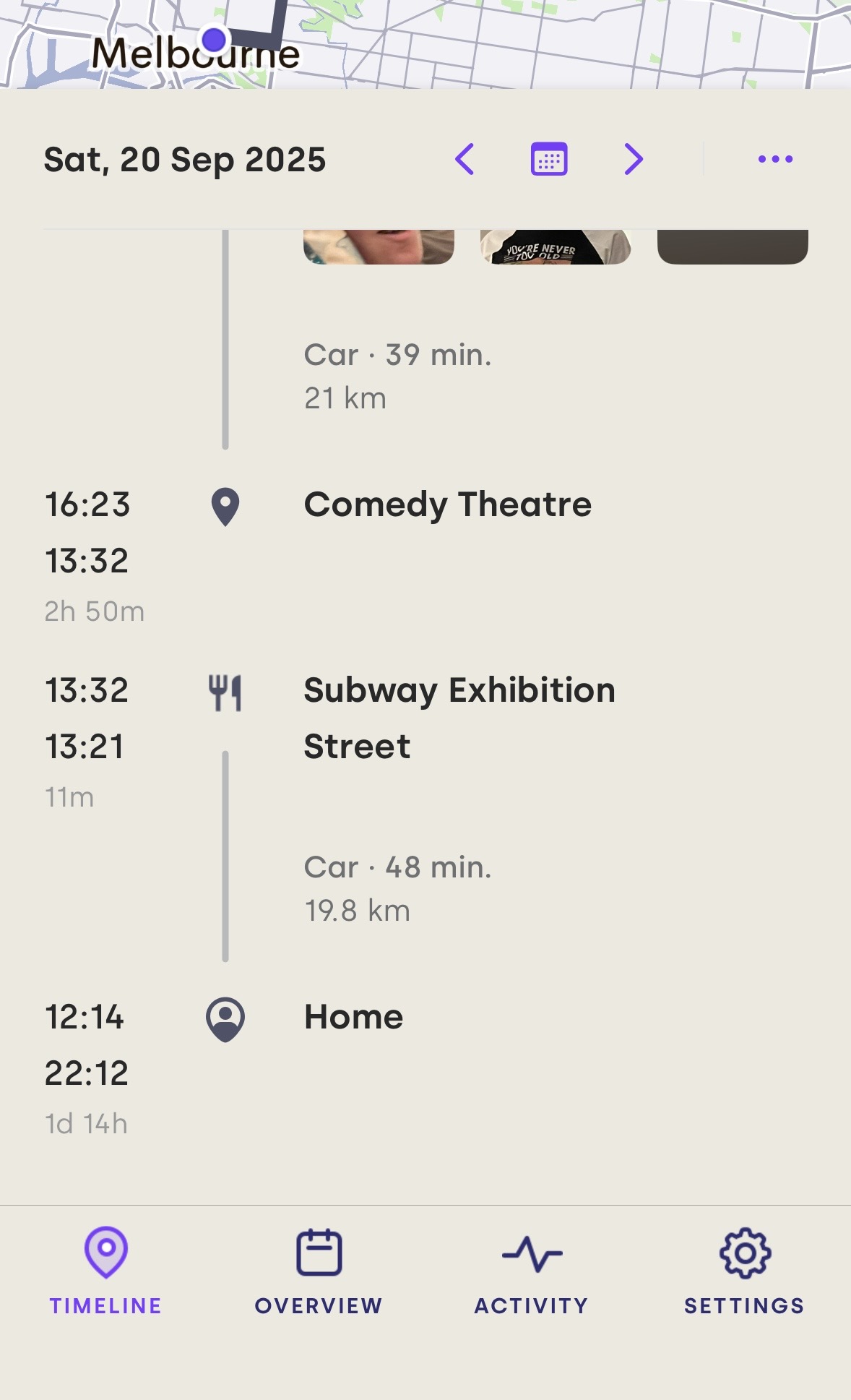
For photos, they will load eventually - it’s just delayed sometimes to reduce energy/battery use, by avoiding querying the Photos database too frequently. Arc doesn’t copy or store your photos, it just asks the Photos app/database for photos that fall within the time ranges of each timeline item (and then filters them to only the ones that were taken at that location).
So for photos it’s just a matter of waiting for the timeline view to update after the app has asked the Photos database what photos are available. Sometimes when the timeline view updates it will clear out the visible photos from a Visit or Trip in the timeline, because that item has changed its start or end time, so the selection of matching photos will potentially need to be different. That’s when you’ll sometimes see them disappear then reappear.
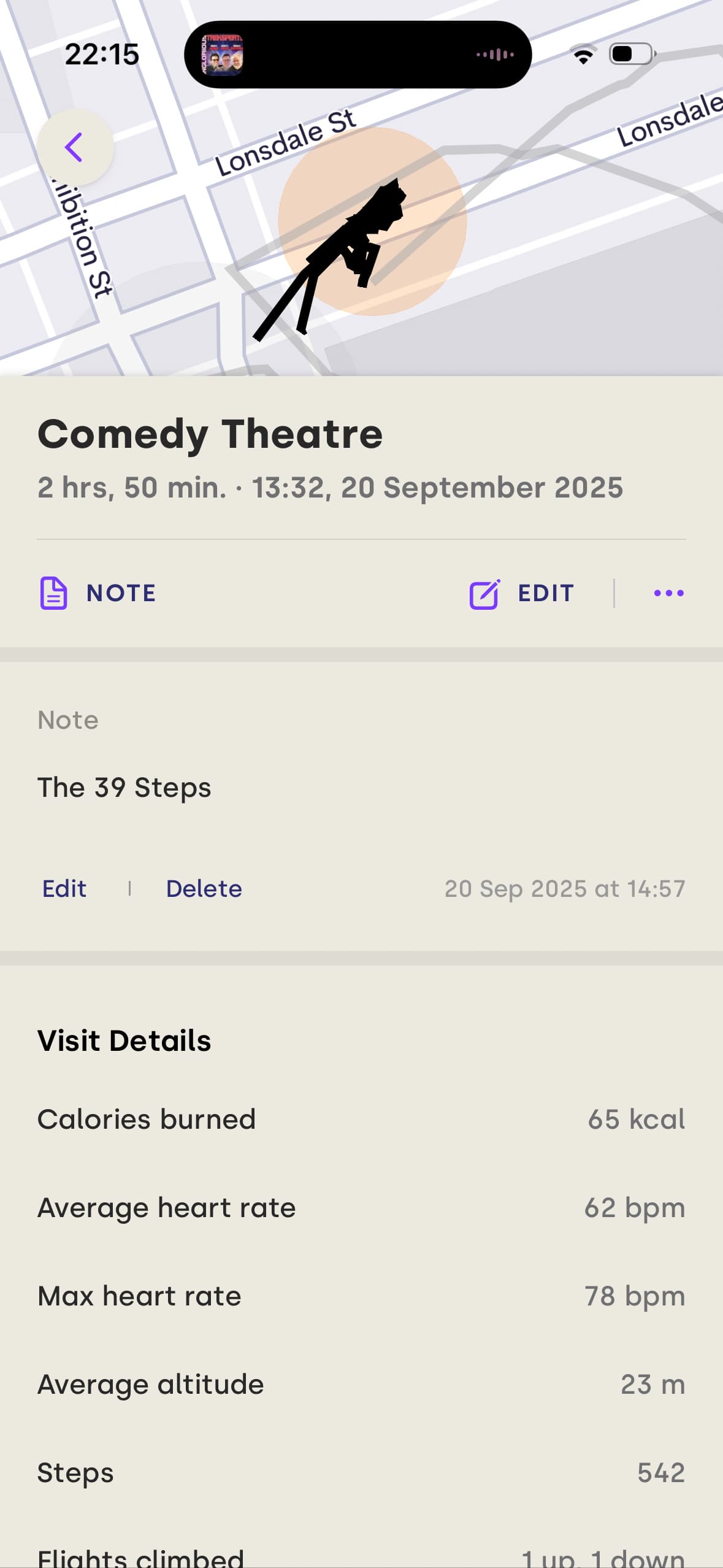
For notes not appearing… that’s a different matter, and one I’m not aware of! The notes are actually stored in Arc’s database, so they’re not separate like photos. And they’re loaded up at the same time as the timeline view updates. So… they should always appear!
Which means there’s some case that I’m not aware of - I haven’t seen it happen that notes would fail to appear in the timeline list view but do appear on the item details view. That’s new to me! In which case we’ll need to figure out what the conditions are where that’s happening. If you can spot anything distinct or different about those cases, that would be a big help in the detective work!
For this one, that’s the nature of the beast unfortunately. Arc can’t send you a notification when it gets terminated. Being terminated means it’s gone - it can’t do anything. And there’s no warning about being terminated, so it couldn’t send a notification moments before it happens either.
Which means the way those notifications work is kind of a “dead man’s switch”. The notification is submitted an hour or so earlier, and set with a delivery time of an hour or so later. Then while the app is still alive it updates that notification periodically (perhaps every few minutes), to set the delivery time a few minutes later. That way there’s always a notification submitted for delivery, but is delivery time is always in the future.
Then if the app does get terminated, it’s not there to change that delivery time anymore, so the notification will eventually end up getting delivered, an hour or so later. The old “dead man’s switch” trick, where the bomb doesn’t go off as long as the person is alive and holding their finger on the switch.
The reason it’s set about an hour into the future is because sometimes iOS will briefly stop doing some things for apps (like updating notification delivery requests), even when the app hasn’t been terminated. So there’s risk of the notification getting delivered even when the app is still alive. Setting it to be delivered an hour into the future makes the chance of that happening much less likely.
There’s also cases where the app might be terminated then restarted automatically within a short period of time. That might mean there was no data gap to worry about (eg it happened overnight while you were asleep and there was no movement to record). Getting a notification for that would be just annoying noise.
There’s no way to fill in the gap with created data. But if it was during a period where you weren’t going anywhere, you can edit the data gap item and set its type to “stationary”, which will force it to be merged into the adjacent Visit item.
That’s useful for cases like the app being terminated while you’re at home. So for example the timeline looks like “home → data gap → home”. You know you were at home the whole time, so it might as well get all merged together. Changing the data gap’s type to stationary will force it to be merged in, so that it ends up as just one single home visit.