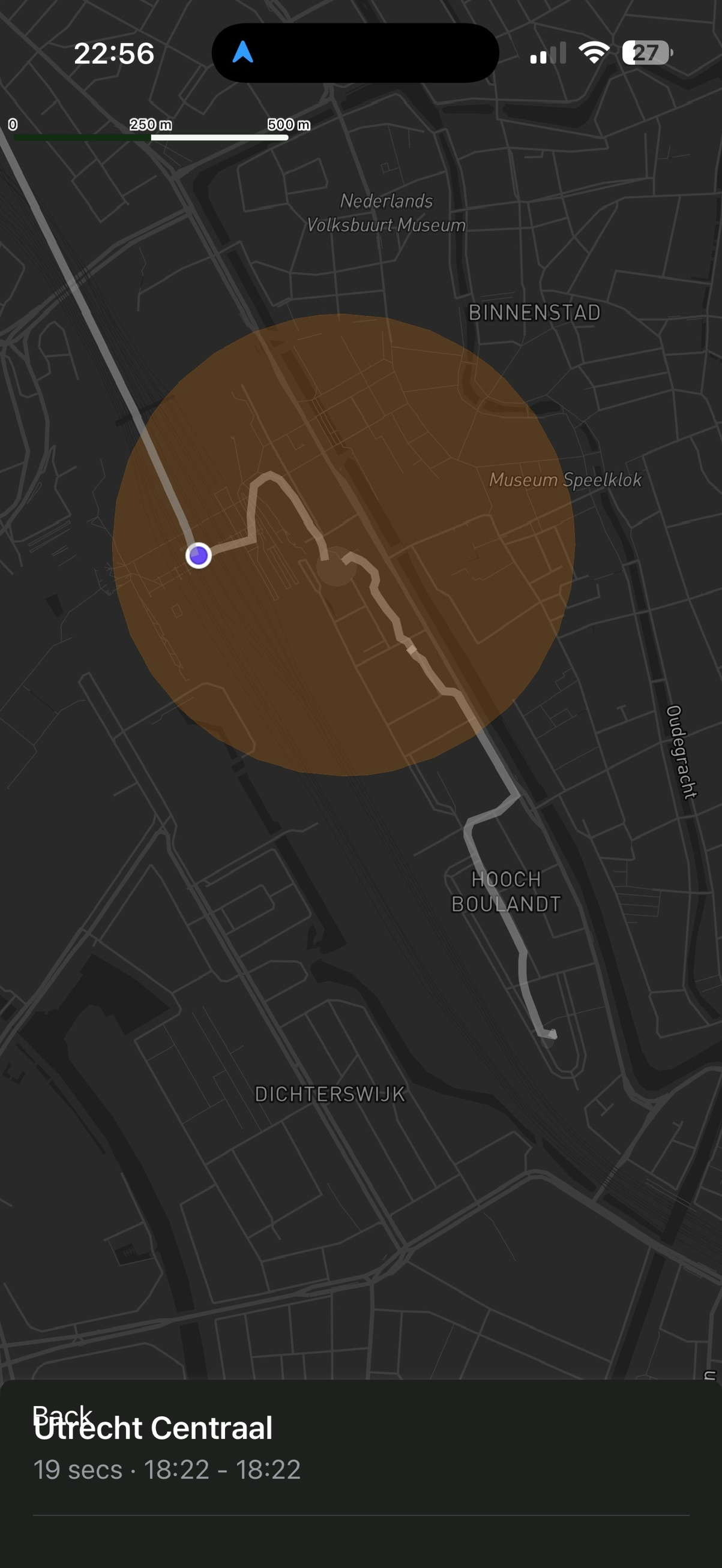
I have some locations with very big brown circles. I know - big chance I made an incorrect location adjustment. But how to correct it? I sifted through a lot of locations in the past, corrected a few, but the circle is still way too big. I visit the locations a lot, so looking through all past visits is nearly impossible.
How to solve this? You are showing how long, and at what time I visit a place. How about showing the visits with a big deviation from the mean center point? Would make correcting incorrect placements a lot easier.
Or what about an option to reduce the circle size and possibly change it center point?
The solution in Arc Editor is the same as in Arc Timeline, though you’ll have to wait until the next beta build to do it! It requires a feature that I’ve only just added to Arc Editor, and haven’t shipped in a build yet.
The solution is to go into the Place Details view, then go into “Total visits” or one of the duration or arrival/leaving time views. From there you scroll down the list and see each Visit show on the map, so that you can spot the Visit circles that are clearly wrong. Then you can quickly identify the ones that need fixing!
The common duration/arrival/leaving histogram views allow you to do that even faster. You can spot histogram bars that are clearly wrong (like a 2 hour duration bar for a convenience store, where you’d realistically never stay more than 10 minutes or so). Tap on that bar, then tap the row below to navigate to the list of those Visits. Then you can find the incorrect ones directly, without having to scroll through a long list.
Oh, I should mention that the missing feature in Arc Editor is the map updating as you scroll down those lists. That’s now in Arc Editor, so you can do this style of cleanup in the next Arc Editor beta build. Which is coming… let’s say some time this week, depending on how many fixes/features I want to add before sending out a build.
I want to do the opposite. I want to expand the brown circle. Currently the gym I go to has its brown circle only covering the free weights area. Whenever I use the smith machine and then go back home, it groups the time spent at the smith machine together with the journey. I just want to tell Arc to expand the brown circle for the gym so that it covers all the areas.
Heh. The flip side problem. But yeah, I have plans for this one!
Though those plans are far further away from realisation, unfortunately. But the general idea is I want Places to have more than one “centre of gravity”. Right now each Place has properties of “centre” and “radius”. That’s the orange circle we see on the map. But very few places in real life are actually circles.
In the real world places might have the foyer/entrance/lobby/carpark/etc, then the main area where you spend most of your time, then maybe some auxiliary areas like toilets or kitchen or some such. Arc’s Place models should recognise that.
Which is why I want Places to have not one orange circle but potentially several. For the model to intelligently learn to identify distinct clusters of location data that have been assigned to that Place.
That’s technically quite a bit more challenging. But there are algorithms for it, and it is all doable. And it is also going to be quite fun to build! I just have to find the time to get it done. Which I will eventually. It’s something that keeps coming up - we all experience that frustration where Arc insists on pushing some part of the Visit back out to the adjacent Trip item, even though it shouldn’t.